Digital wedding invitations: a UK guide
Are digital wedding invitations rude? How to send them, what they cost, how RSVPs work, and how to mix digital and printed invitations for older guests.
By Lou, founder of Make Our Memories · Updated 2026-10-24
The short answer
- They're not rude. Most guests now expect a link. Keep the design and wording as considered as a printed card.
- Send by email, not just WhatsApp, so each guest gets their own RSVP link.
- Timing stays the same: save the dates 8 to 12 months before, invitations 3 to 4 months before.
- Print a few for guests who aren't online, in the same design.
Why couples choose digital wedding invitations
Cost. Printed invitations usually cost between 50p and £2.30 a card. Then there's the stamp: a 1st class stamp is £1.80 and 2nd class is 91p. For 80 guests, printed and posted invitations can easily pass £200. A digital invitation costs the same whether you send 20 or 200.
RSVPs that add themselves up. Guests reply from the link, and you see who's coming, their food choices and any allergies in one list. Nobody has to decode a reply card or chase a text thread.
Changes are easy. If the start time moves or the venue changes its parking, you update the page once, and everyone sees the new details.
Less paper. Searches for eco friendly wedding invitations are rising fast. Going digital is the simplest way to cut paper, ink and postage.
It reaches everyone. Guests abroad get it at the same moment as guests down the road.
Are digital wedding invitations rude?
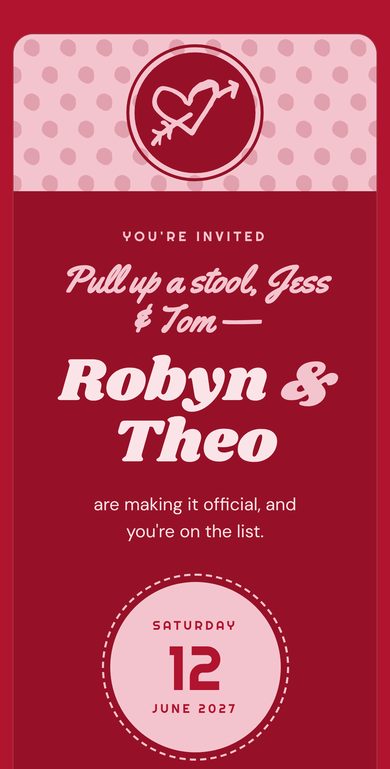
No. What feels rude is a careless invitation, not a digital one. A blurry screenshot dropped into the family WhatsApp group with "let us know x" does feel like an afterthought. A designed invitation, sent to each guest by name with a proper RSVP, doesn't.
A few things keep it feeling special:
- Address each guest by name. "Dear Auntie Jo and Uncle Pete" reads very differently from a group message.
- Use the same wording you'd print. Our wording examples work just as well on a screen.
- Make the design yours. Pick colours and a look that match your day, so it feels like your wedding and not a template.
Older guests and anyone offline
Most couples go digital for nearly everyone and print a small batch for the rest: grandparents, a great-aunt, the neighbour who doesn't do email. Use the same design, so nobody feels they got the lesser version. Then you can add their replies to your guest list yourself, so every RSVP is in one place.
Formal weddings
For a very formal wedding, a printed invitation is still the classic choice. Many couples print the invitation and keep everything else digital: save the dates, RSVPs, reminders and the day-before details.
How to send digital wedding invitations
- Collect email addresses first.Ask when you send the save the dates, or use a simple form. It's the slowest part, so start early.
- Send one email per household, not a group message, so every reply comes back to the right name.
- Send on a weekday evening.People open personal email at home, not in a Monday-morning inbox.
- WhatsApp is fine for a nudge."Your invitation's in your inbox!" helps, but don't make the group chat the invitation.
- Set a reminder.A gentle email two weeks before the RSVP date catches most of the stragglers.
- Send the details again before the day.A day-before email with the time, the address and parking saves you thirty "what time is it again?" texts.
Timings for a UK wedding
- Save the dates: 8 to 12 months before (12 for abroad or a bank holiday weekend)
- Invitations: 3 to 4 months before
- RSVP deadline: 6 to 8 weeks before
- Reminder: 2 weeks before the RSVP deadline
- Day-before details: the day before
The full timeline is in When to send wedding invitations and save the dates.
What to look for in a digital invitation service
- One clear price. Some sites charge per guest, per send or per extra feature. Add it up for your guest list before you start designing.
- No adverts in your guests' emails. Some free services put their own logo and offers in front of your guests. Check what your guests will actually receive.
- RSVPs with the questions you need: meal choices, allergies, plus-ones and song requests.
- Reminders you can schedule, so you're not chasing people by hand.
- Print when you want it. You'll want a few printed invitations for offline guests, and a matching design for the table cards.
- Your data, deleted when you're done. Look for a clear privacy policy that says when guest details are removed.
- A real person behind it. UK-based support, with a name and an email address, makes a difference when something goes wrong the week before.
Make Our Memories does all of this for £35.99 per party: save the dates, invitations, RSVPs, scheduled reminders and a shared photo wall, with printed packs if you want them. Your guests' emails carry your design, never our adverts.
Digital save the dates
Save the dates are where digital makes the most sense. They're short, they go out early, and their main job is getting the date into people's calendars.
- Keep it to your names, the date and the town, plus "Invitation to follow".
- Send them 8 to 12 months before.
- Use the same look you'll use for the invitation, so the two feel like a set.
- Use them to collect addresses. Asking "Where should we send your invitation?" saves weeks later.
One email a month with new ideas. Send me ideas